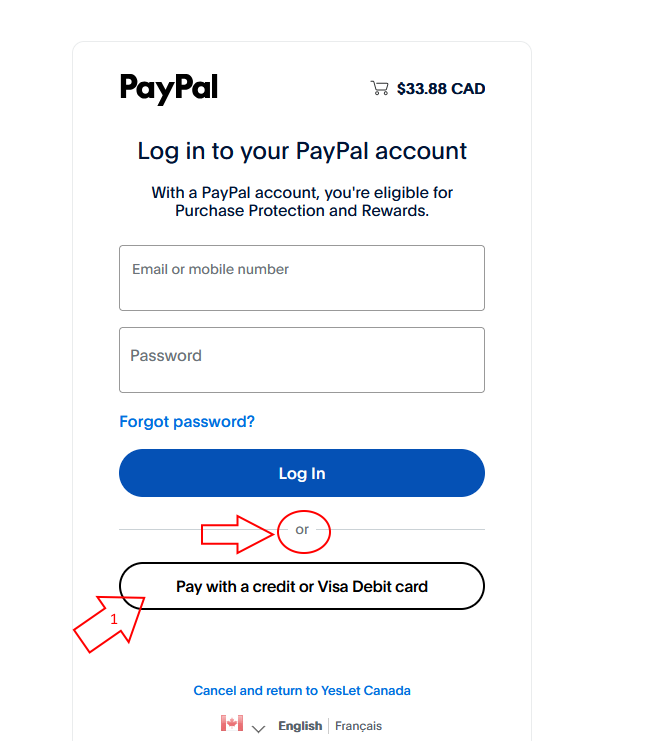
1. To use a Credit Card, look for the "or" (indicated by my little arrow) and take the "Pay with a credit or Visa Debit card" button (my Big Arrow 1):
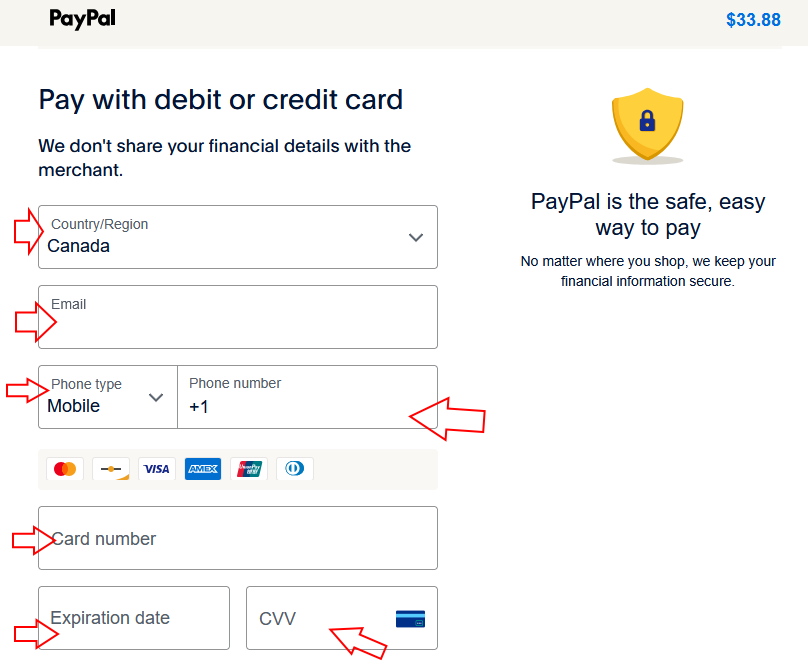
2a. In the top part of the next screen "Pay with debit or credit card", fill in all the required fields (as indicated by my little arrows):
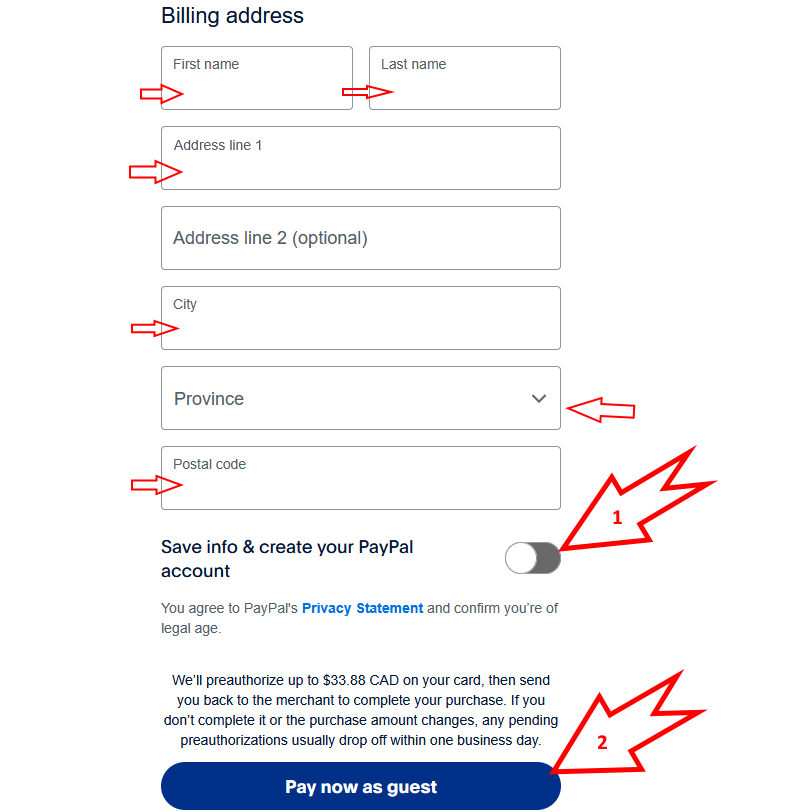
2b. In the bottom part, fill in the remaing required fields (indicated by my little arrows).
Then turn off the "Save info & create your PayPal account" option (as shown - Big Arrow 1).
Then click "Pay now as guest" (Big Arrow 2).
PayPal will process your Credit Card payment and return you to the YesLet site.

Terms & Conditions
Subscribe
Report
My comments